

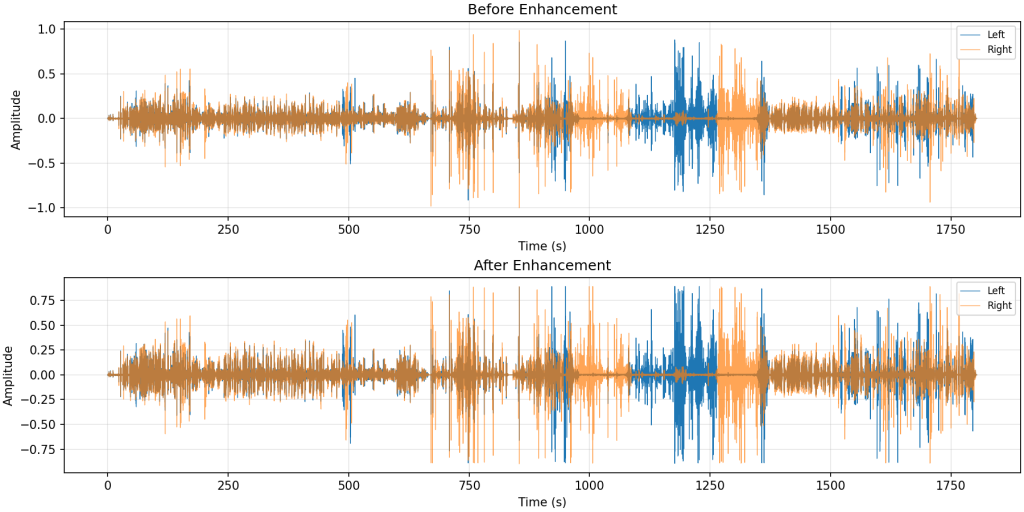
The project was officially released yesterday after a full day of extra testing and tweaking. It is now live on GitHub! The Core Function: Audio enhancement and noise reduction. The principle is simple but effective: it amplifies specific audio details (like mouth sounds and whispers), tightens the low frequencies, and calibrates the loudness. While it's not a magic wand that changes everything, the goal is to provide a cleaner ASMR experience with lower noise floor and richer vocal details.
GitHub Repo (Don't forget to Star!): https://github.com/xmlans/asmr-enhancer
Tutorial for Beginners (Windows) If you are a total noob, don't worry. Here is how to set up from scratch on Windows.asmr-enhancer
Step 1: Install Python The tool is written in Python. Download version 3.9 here: Python 3.9 Download
- Important: Make sure to check the box "Add Python to PATH" during installation!
Step 2: Download the Tool Go to the GitHub repo, click Code -> Download Zip, or just click here: Download Zip Unzip the file and open the folder. Right-click inside the folder and select "Open Command Prompt" (or PowerShell).
Step 3: Install Dependencies Run this command in the terminal:
Bash
pip install -r requirements.txt
Step 4: Install FFmpeg (Crucial!) You need FFmpeg to process audio files. Download it from ffmpeg.org.
- Note: You must add FFmpeg to your system's Environment Variables (PATH) for it to work globally.
Step 5: Run it! Now, just run the command below to enhance your video/audio:
Bash
python asmr_enhancer.py [your_file_name] -o output.mp4
It supports mp4, mp3, and wav. Just make sure the output format matches the input. Good night, and sweet dreams!
Comments NOTHING