

This lightweight project helps Telegram group owners filter automated spam accounts. It restricts new members until they complete a verification challenge, then lets them speak in the group. Try the hosted bot: https://t.me/stardreamverify_bot.
Source repository: https://github.com/Star-Dream-AI/telegram-group-join-verification.
The default verification provider is Cloudflare Turnstile. To host your own copy, you need a Cloudflare account, a domain, and a server with Python installed.
1. Create the Telegram bot
Open @BotFather in Telegram and send /newbot. Choose a display name and an available username ending in _bot. BotFather will provide your bot token.
2. Download the project and install dependencies
In the repository, select Code → Download ZIP, extract it, and deploy it for your domain. From the project directory, install the Python requirements:
pip install -r requirements.txt3. Create a Turnstile widget
Sign in to Cloudflare, find Turnstile under application security, and create a widget. Give it a name and add your domain as the allowed hostname.
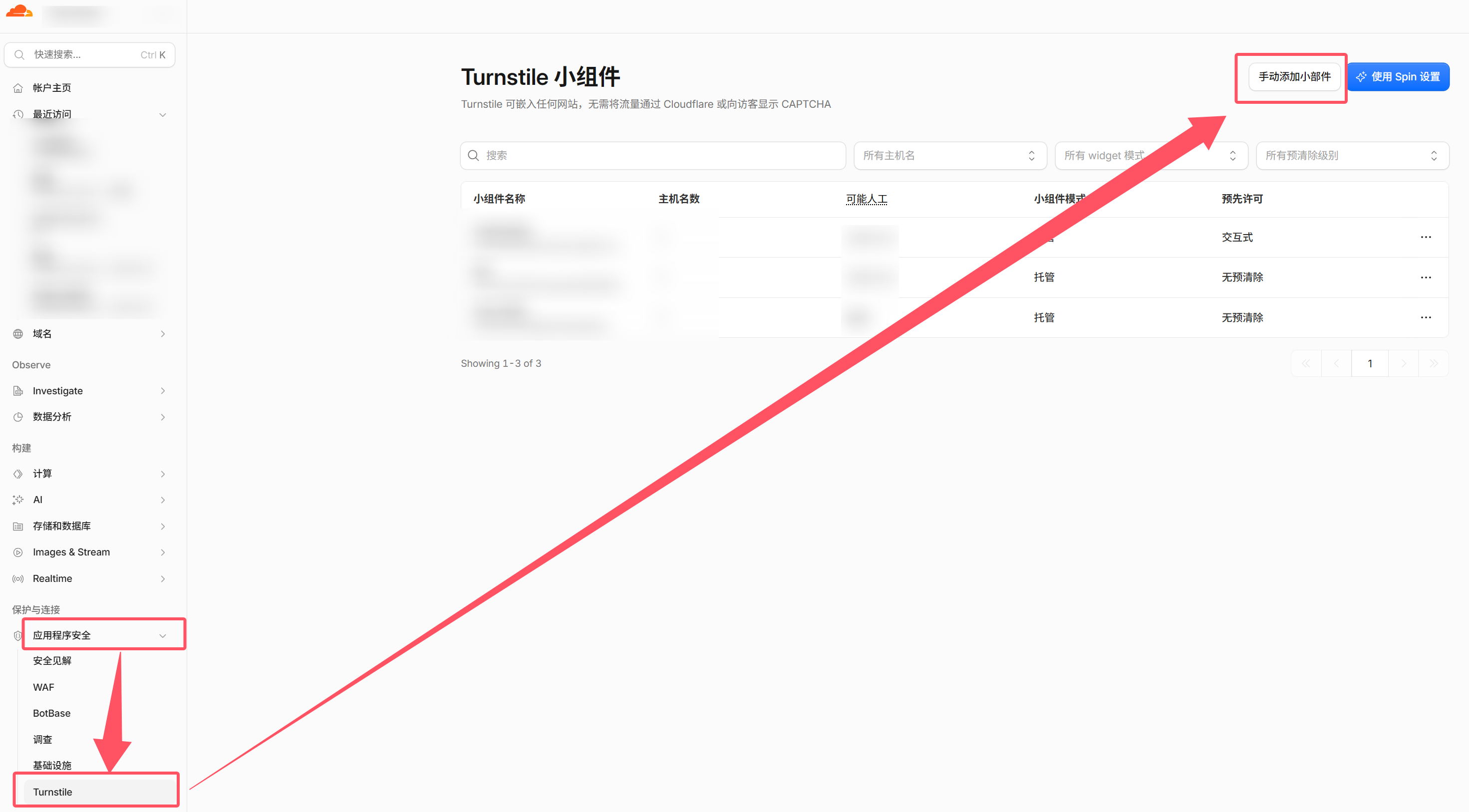
After creation, Cloudflare provides a site key and a secret key. Use the project's configuration example to place the keys and the Telegram bot token in the correct fields.
4. Configure and run the project
Open .env.example in the project root and complete the settings shown in the example below. Then rename the file to .env.

python main.pyThe screenshot below shows the resulting verification flow:
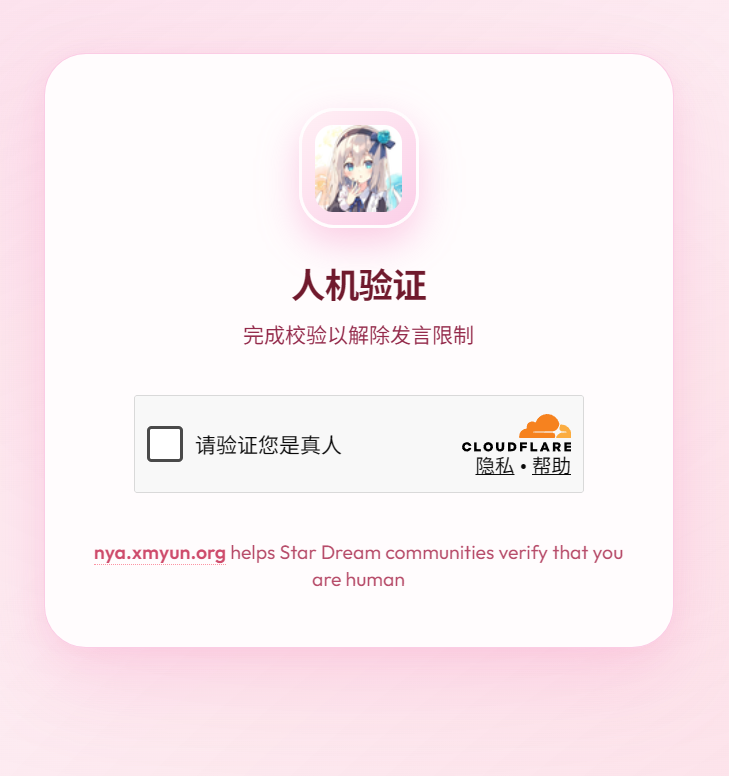
In my experience, this filters many simple automated advertising accounts. A challenge is a filtering layer, and more capable browser automation can still be harder to distinguish from real users.
You can also add @stardreamverify_bot to your group instead of self-hosting. The original post notes that self-hosting exposes more operational information, including verification success rates.
Adapted from the original Chinese article, published on September 14, 2026.
Comments NOTHING