

Whisper is OpenAI’s open-source speech-recognition model. With a local Whisper provider, AstrBot can turn a voice message into text before sending it to your chat model. Local processing avoids a per-minute transcription API bill, though it still uses your own hardware.

Install Whisper in AstrBot’s environment
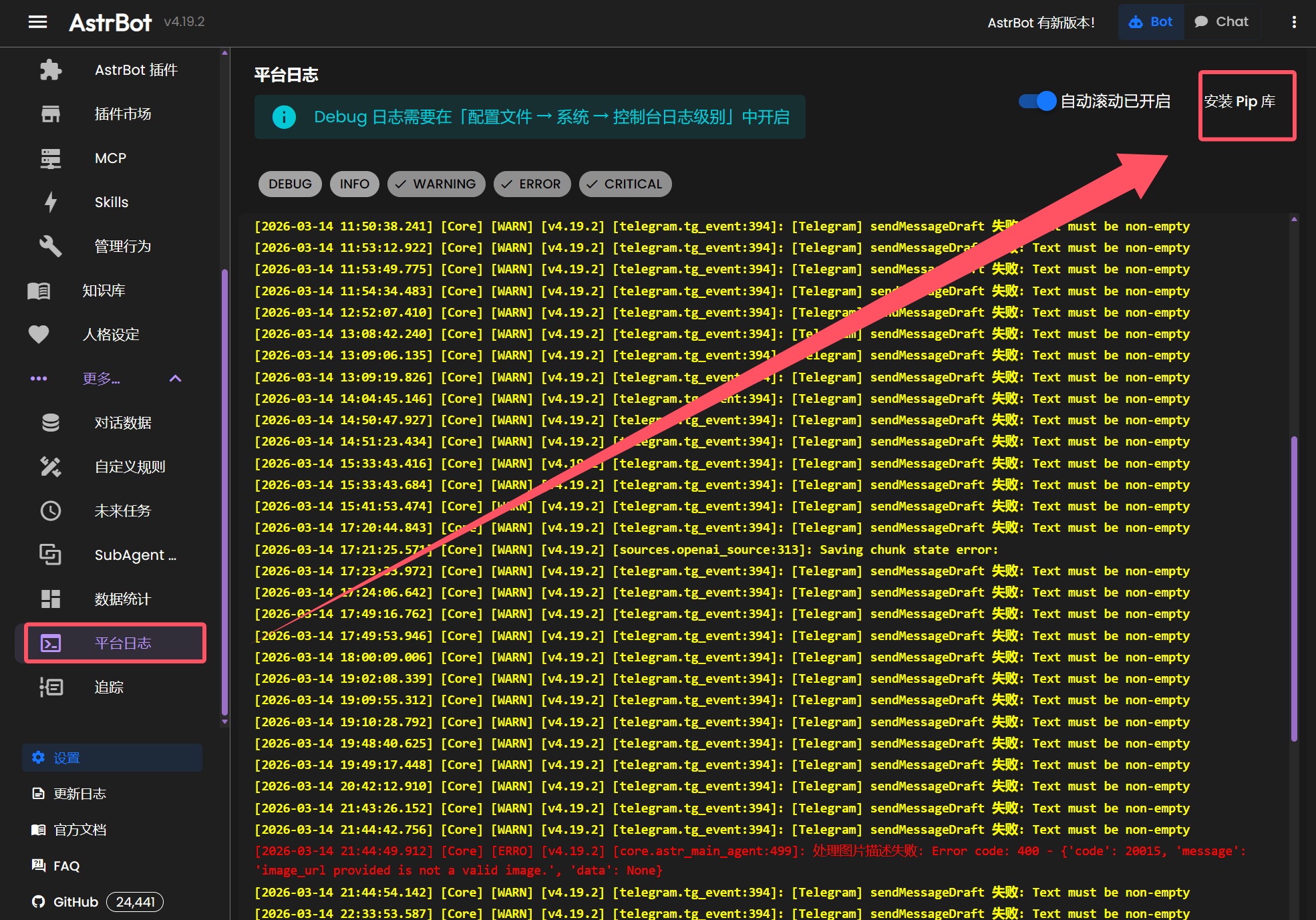
The original dashboard offers a Python-package installation option under platform logs. Install openai-whisper there, or use the Python environment that runs AstrBot:
pip install -U openai-whisperWhisper also requires FFmpeg. On Debian or Ubuntu:
sudo apt update
sudo apt install ffmpeg
The initial model download can take time. Check the Whisper repository if package installation fails.
Add the local provider
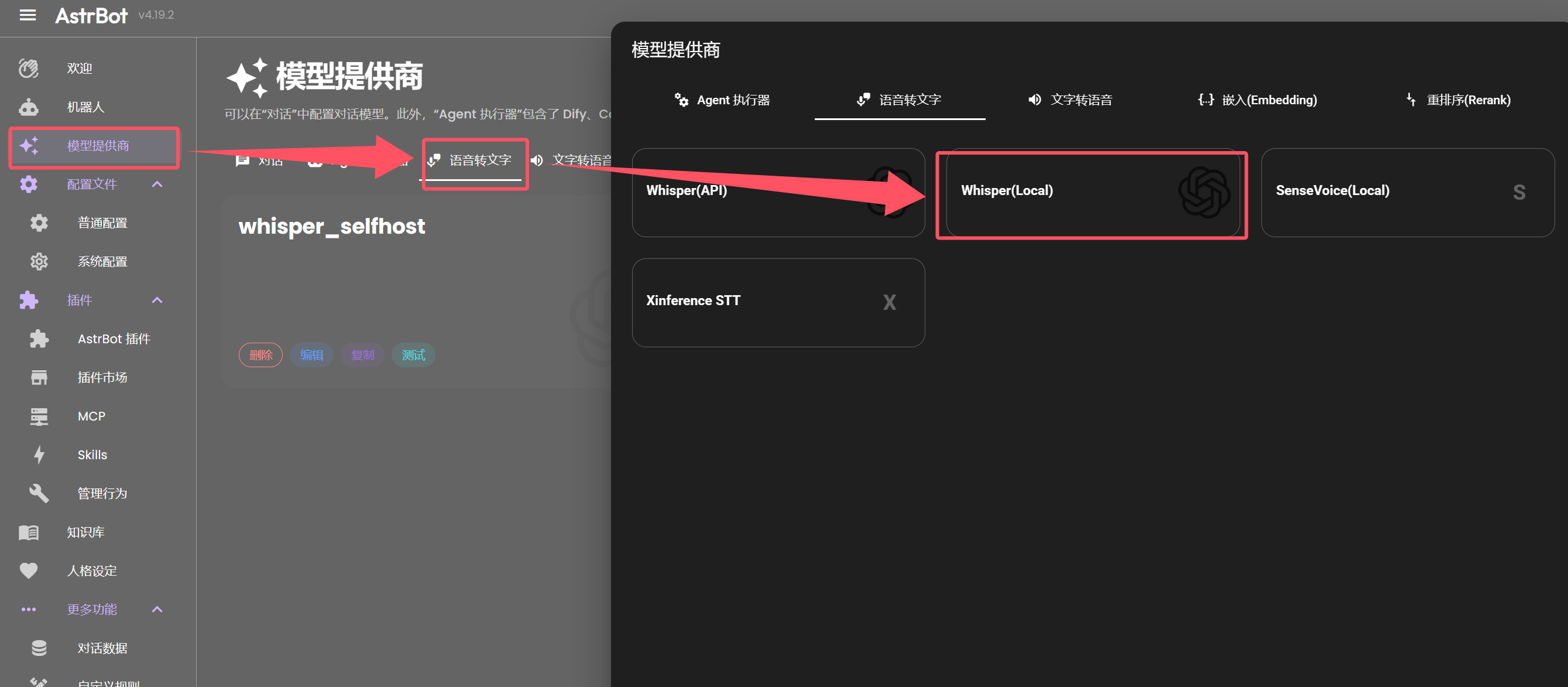
Open Model Providers, choose speech-to-text, and add Whisper (Local). Give it an ID such as whisper_selfhost and choose a model name.
The main choices are tiny, base, small, medium, large, and turbo. Tiny is a practical starting point on a CPU-only device; larger models need more memory and usually more compute. Turbo is an optimized large-v3 variant designed for faster transcription with a modest accuracy tradeoff.
Speed and accuracy depend on hardware, language, and audio quality. The published speed comparisons are benchmark results, not a guarantee that every large-model transcription is exactly ten times slower. Turbo is not intended for translating non-English speech into English.
Enable voice input
Save the provider, then enable speech-to-text in the bot’s general configuration and select it. Send a short voice message and compare the transcript with what you said. If you prefer a hosted transcription API, check its current model pricing; the original post quoted $0.006 per minute for whisper-1.
Adapted from the original Chinese article, published on March 15, 2026.
Comments NOTHING